
Cart Recovery
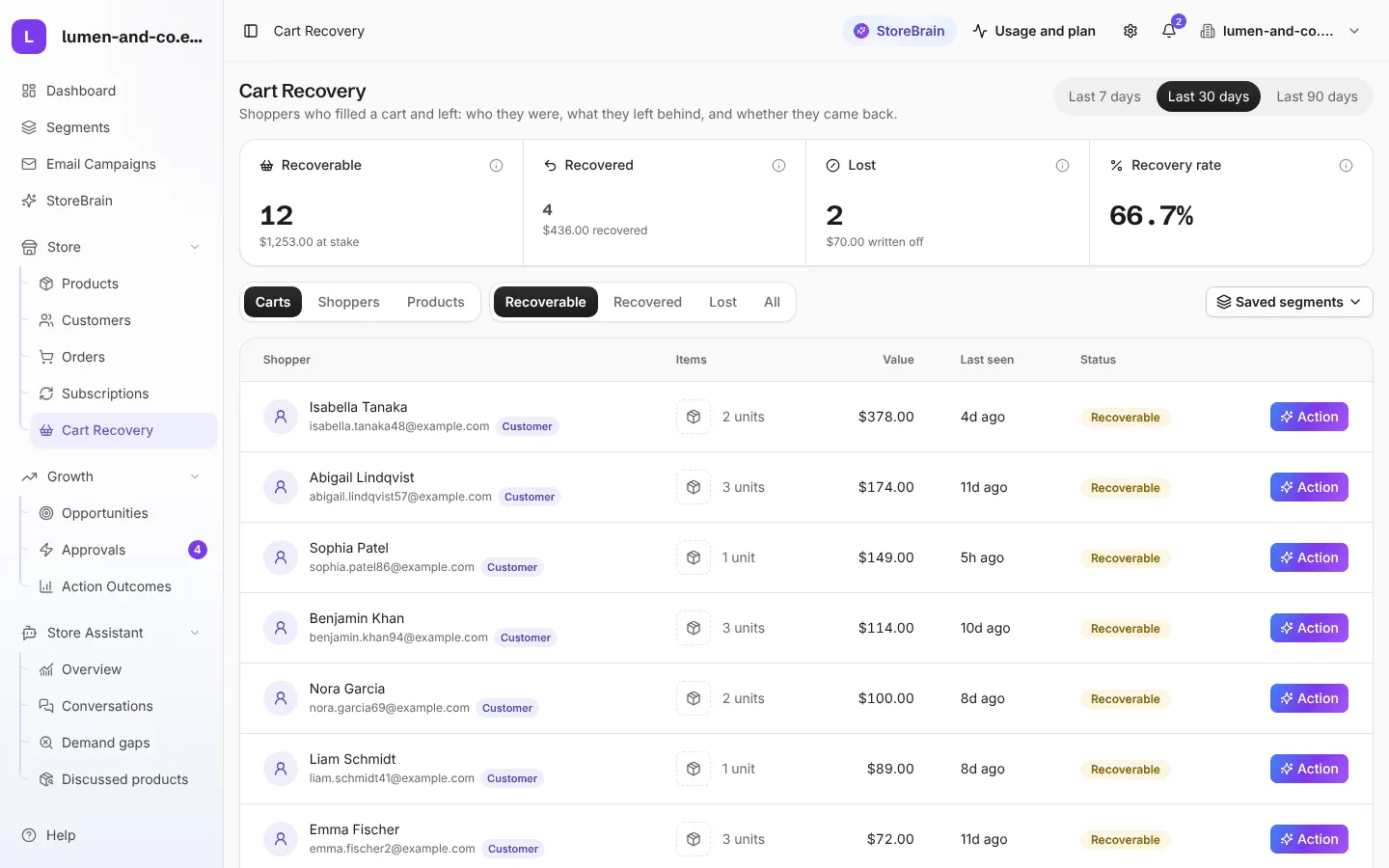
Store → Cart Recovery lists shoppers who filled a cart and left without buying: who they were, what they left, and whether they came back.
How carts are tracked
Section titled “How carts are tracked”The MerQio Connector plugin marks a cart as abandoned after 60 minutes without activity, and sends its contents to MerQio. When the shopper later buys, the cart is marked as recovered.
The figures at the top
Section titled “The figures at the top”| Figure | Meaning |
|---|---|
| Recoverable | Open carts that can still be won back, and their total value. |
| Recovered | Carts that turned into an order. |
| Lost | Carts written off. |
| Recovery rate | Recovered carts as a share of all closed carts. |
Choose Last 7 days, Last 30 days or Last 90 days at the top right.
- Carts, Shoppers and Products: see the list by cart, by person, or by the products most often left behind.
- Recoverable, Recovered, Lost and All: filter by status.
Each shopper shows how MerQio knows who they are: matched to a Customer, signed in to the store, typed at checkout, or left before reaching checkout (anonymous).
Recover a cart
Section titled “Recover a cart”- Press Action on a cart row.
- MerQio’s Cart Recovery agent reads the cart’s price, stock and the shopper, and proposes what to do, usually a recovery email with a one-click link that restores the cart.
- Review the proposal in Approvals and approve it to send.