
Action Outcomes
Growth → Action Outcomes shows what your approved changes and email campaigns actually earned, based on real orders.
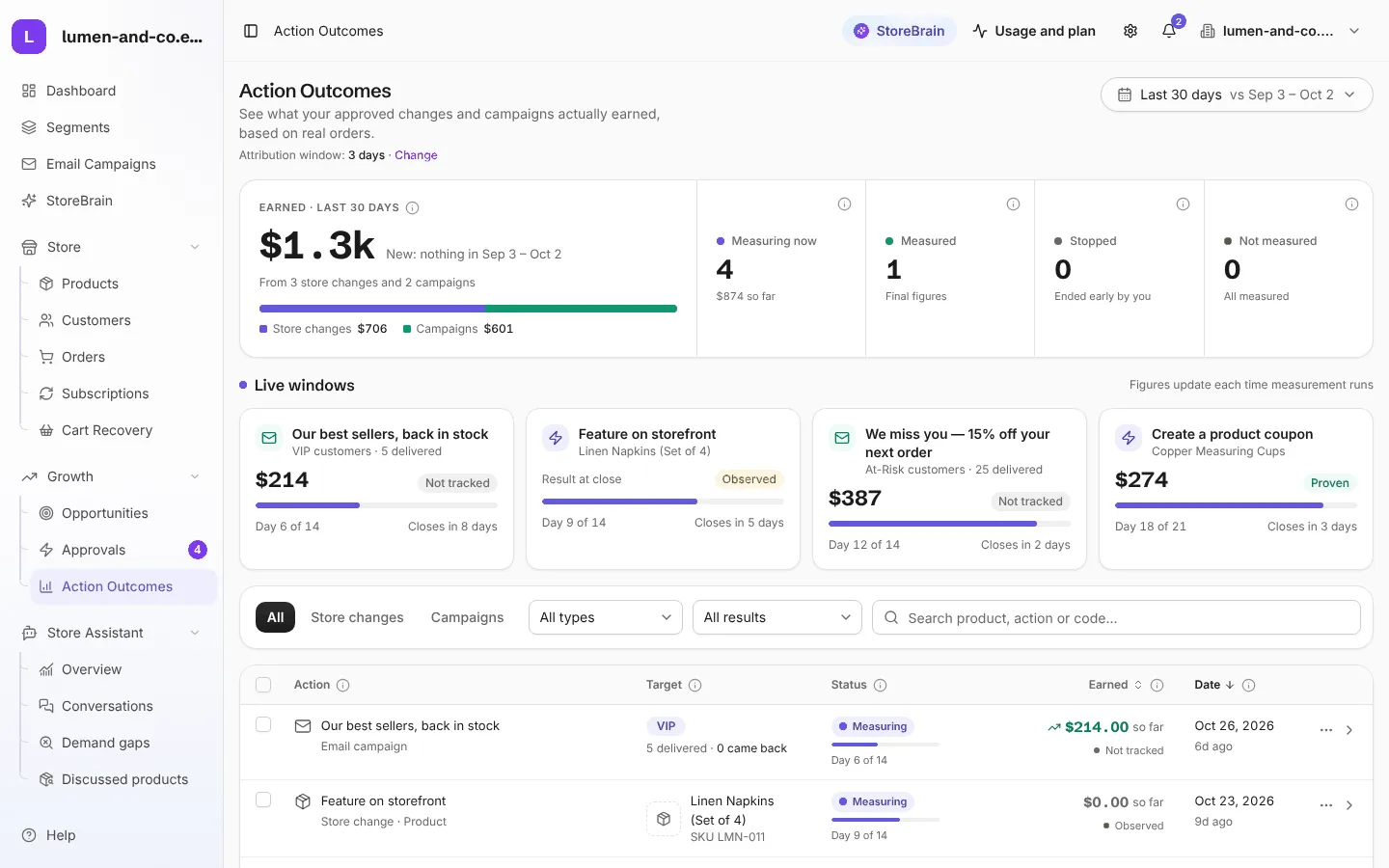
The summary
Section titled “The summary”- Earned: revenue credited to your store changes and campaigns in the chosen period, split into Store changes and Campaigns.
- Measuring now: entries whose measurement window is still open. Their figures can still change.
- Measured: the window has closed, so the figure is final.
- Stopped: entries you ended early.
- Not measured: entries that ran but were never measured. This normally means the daily measurement has not run. It is a missing measurement, not zero earnings.
Live windows shows the entries still being measured, with their progress (for example Day 9 of 14) and when each closes.
How earnings are measured
Section titled “How earnings are measured”| How | Used for | Confidence |
|---|---|---|
| Coupon | Actions and campaigns with a coupon code. Only orders that used the code count. | Proven: the code links the money to the action. |
| Before / after | Price, title, featured and stock changes. Sales in the 14 days before are compared with the 14 days after. | Observed: it shows what happened, not proof that the action caused it. A busy season would look the same. |
| Customers returning | Emails without a coupon. | Observed |
| Not tracked | Internal actions, such as a flag for review. | Nothing that moves money on its own. |
The table
Section titled “The table”Each row is one action or campaign: what it was, its target, its status, what it earned so far and when it ran. Open a row for its full report. Filter by Store changes or Campaigns, by type and by result, or search by product, action or coupon code.
Attribution window and controls
Section titled “Attribution window and controls”The attribution window (shown under the page title, for example 3 days) is how many days of orders count toward an action or campaign once it starts. A coupon may stay valid for longer, but only orders inside the window are credited. Press Change to set it.
Select entries to:
- Stop measuring: the figure becomes final now. What it has earned so far stays in your totals.
- Remove: take a stopped entry’s credited revenue out of Action Outcomes and the dashboard, for every period. This cannot be undone.