
Profile, security and appearance
Open Settings from the store menu at the top right, or the gear icon. The settings menu on the left has Profile, Security, Appearance, Billing, Reporting and Store Assistant.
Profile
Section titled “Profile”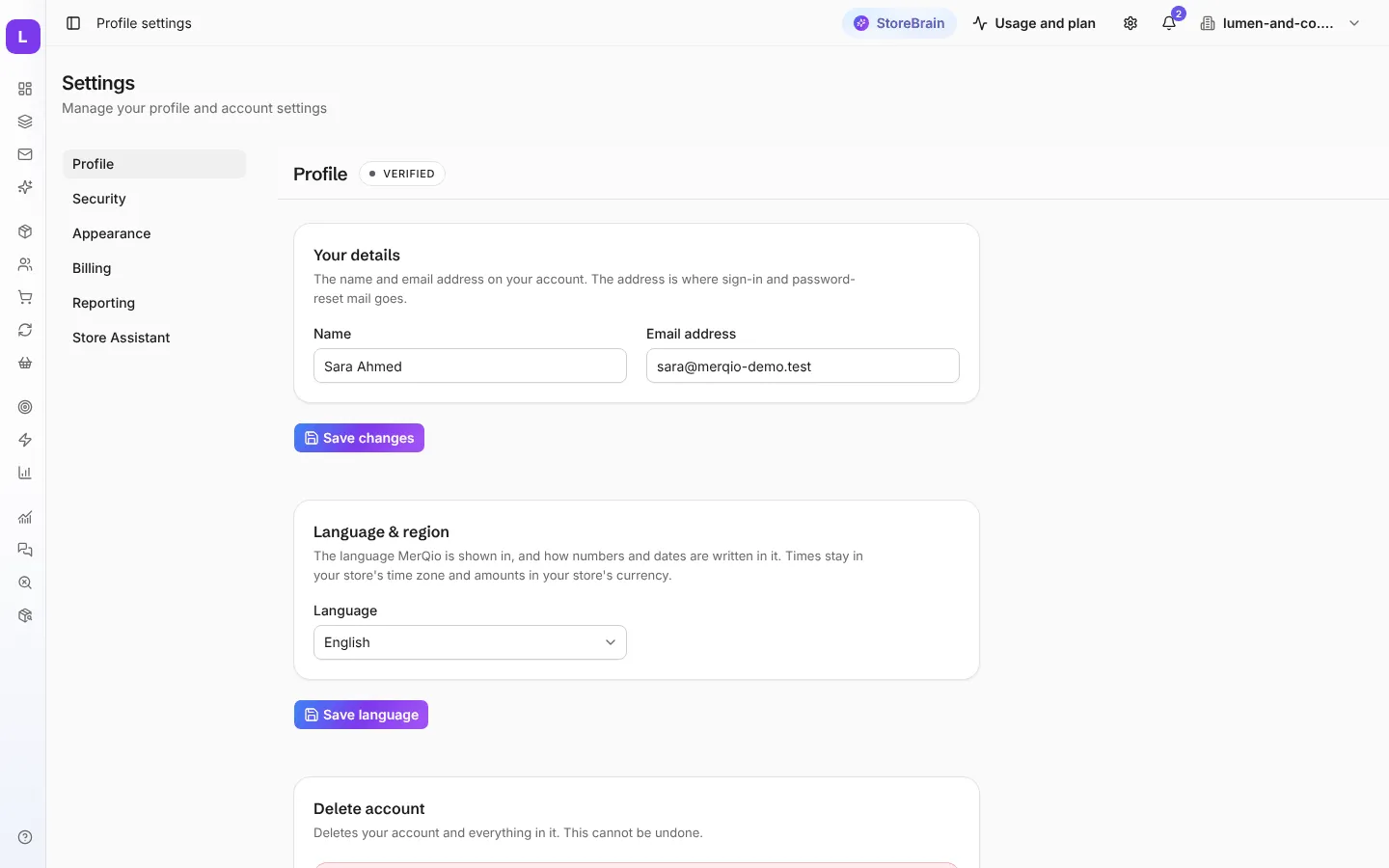
- Your details: your name and email address. Sign-in and password-reset emails go to this address. Press Save changes.
- Language & region: the language MerQio is shown in, and how numbers and dates are written. Times always use your store’s time zone, and amounts your store’s currency.
- Delete account: deletes your account and everything in it. This cannot be undone. Any paid plan for your workspaces is cancelled with it.
Security
Section titled “Security”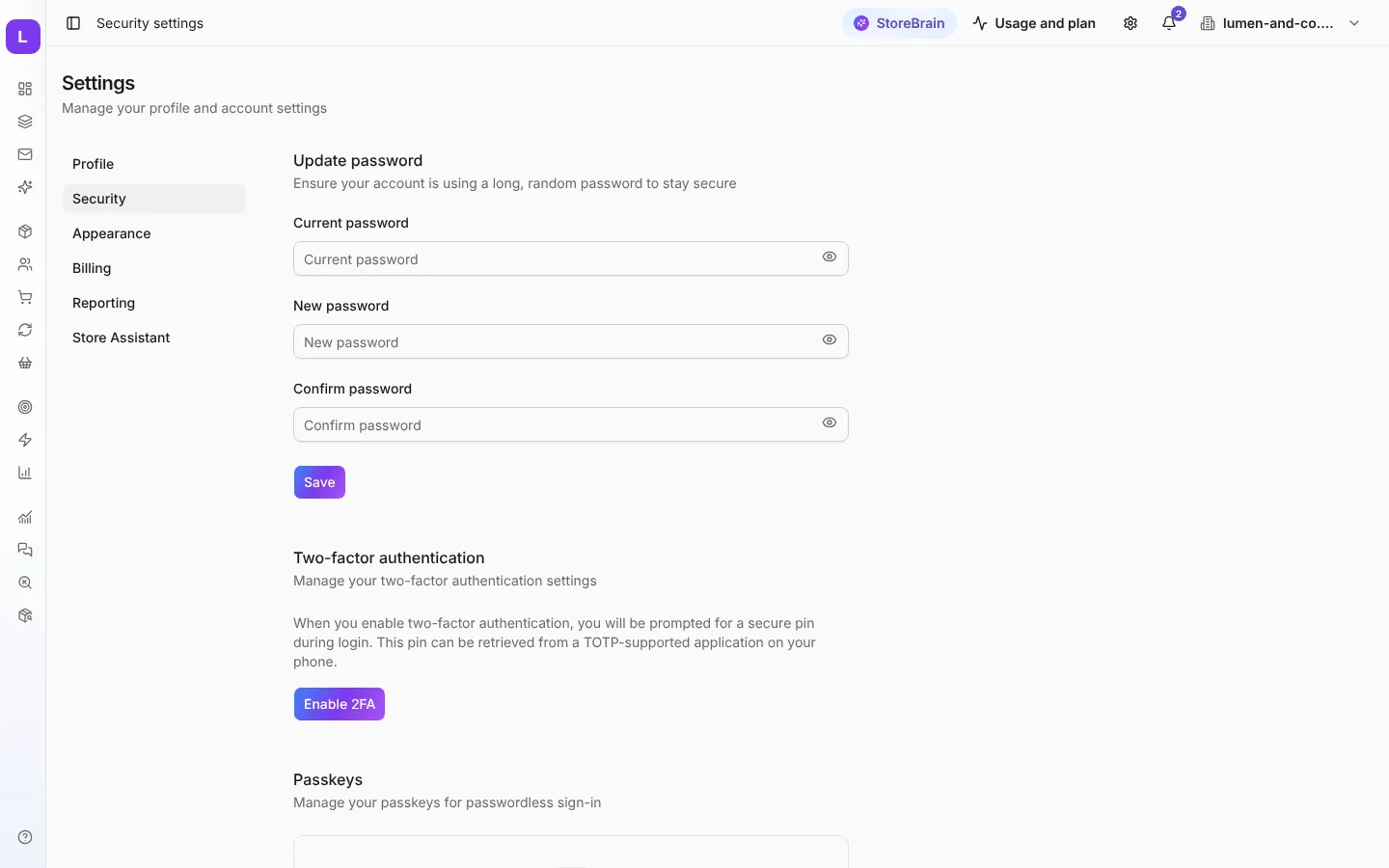
MerQio asks for your password again before showing this page.
- Update password: enter your current password and the new one twice.
- Two-factor authentication: press Enable 2FA and scan the code with an authenticator app on your phone. From then on, MerQio asks for a code from the app when you sign in. Keep your recovery codes in a safe place; they let you in if you lose your phone.
- Passkeys: sign in without a password, using your device’s fingerprint, face or PIN.
Appearance
Section titled “Appearance”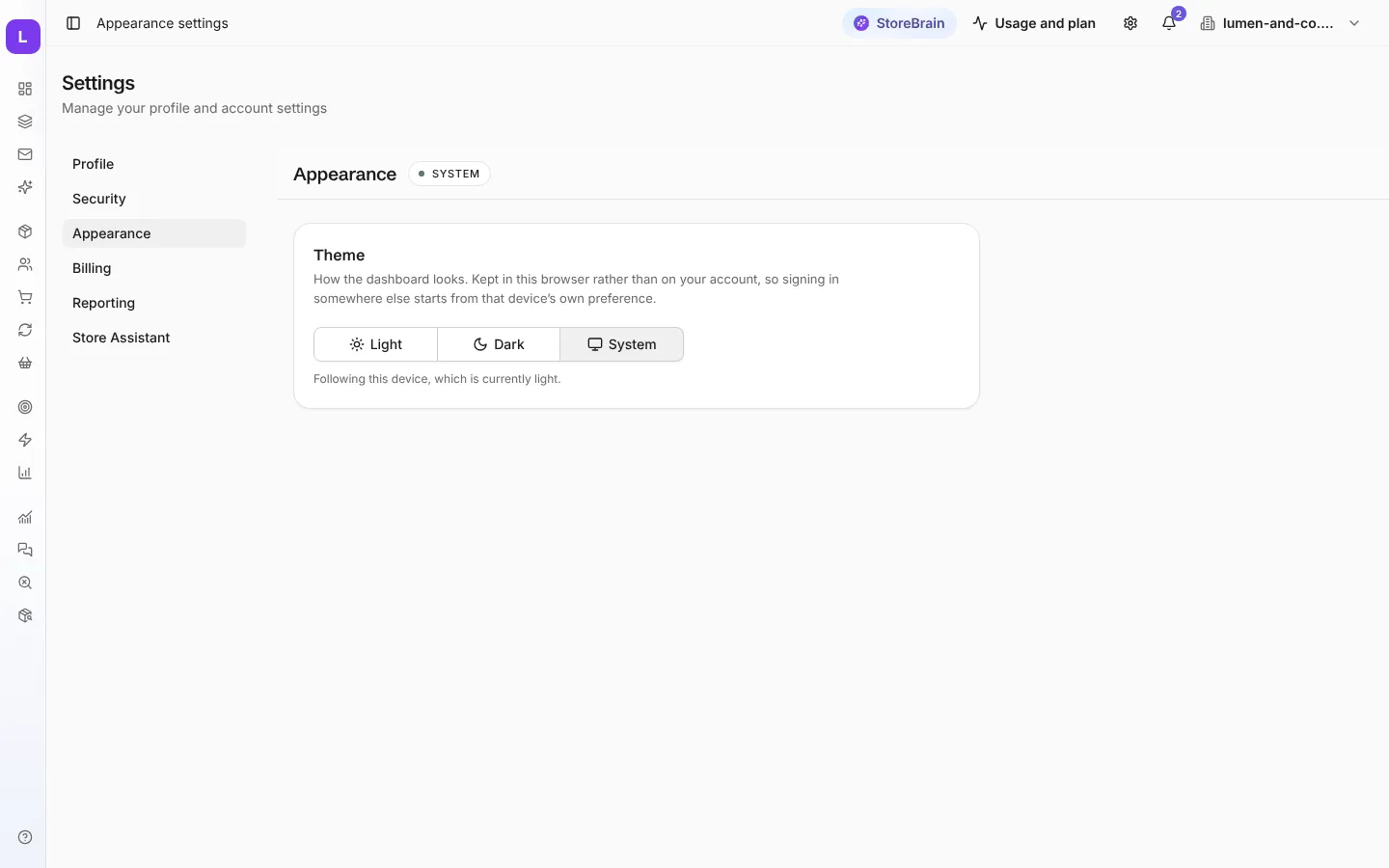
Choose Light, Dark or System (follows your device). This is saved in your browser, so another device starts from its own setting.