
Assistant Analytics
The Store Assistant section of the sidebar has four pages. Together they show what your storefront assistant is doing and what shoppers are asking it.
Overview
Section titled “Overview”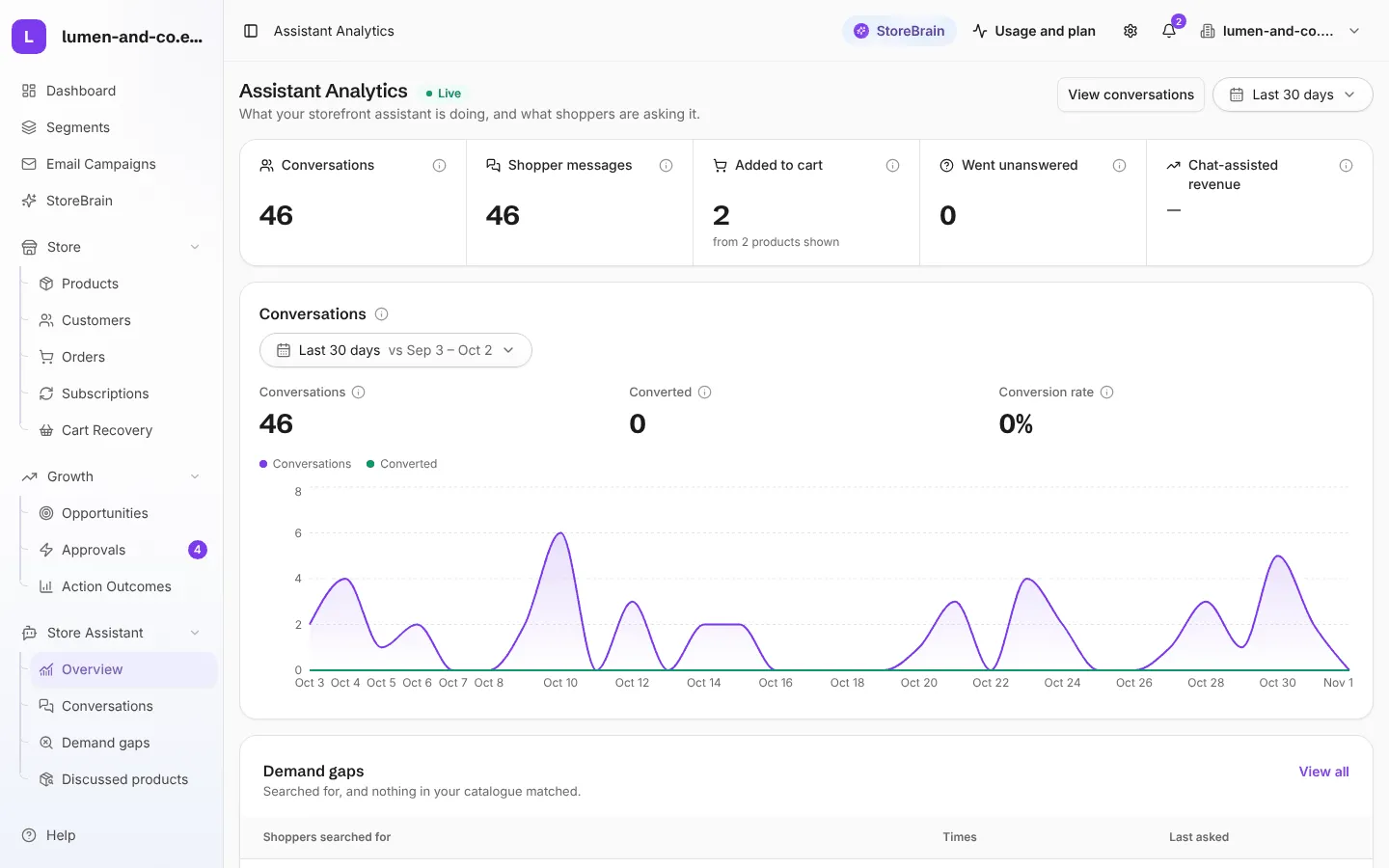
The overview shows, for the chosen period:
- Conversations and Shopper messages
- Added to cart: products added to the cart from the chat
- Went unanswered: questions it could not answer
- Chat-assisted revenue: sales where the assistant showed the product in the conversation before the shopper added it to the cart
- A Conversations chart with conversions and conversion rate
- What shoppers asked, Demand gaps and Most discussed products
If a yellow note says Your Store Assistant is not live yet, follow its link to finish the setup (usually: turn the assistant on, or activate the Connector plugin).
Conversations
Section titled “Conversations”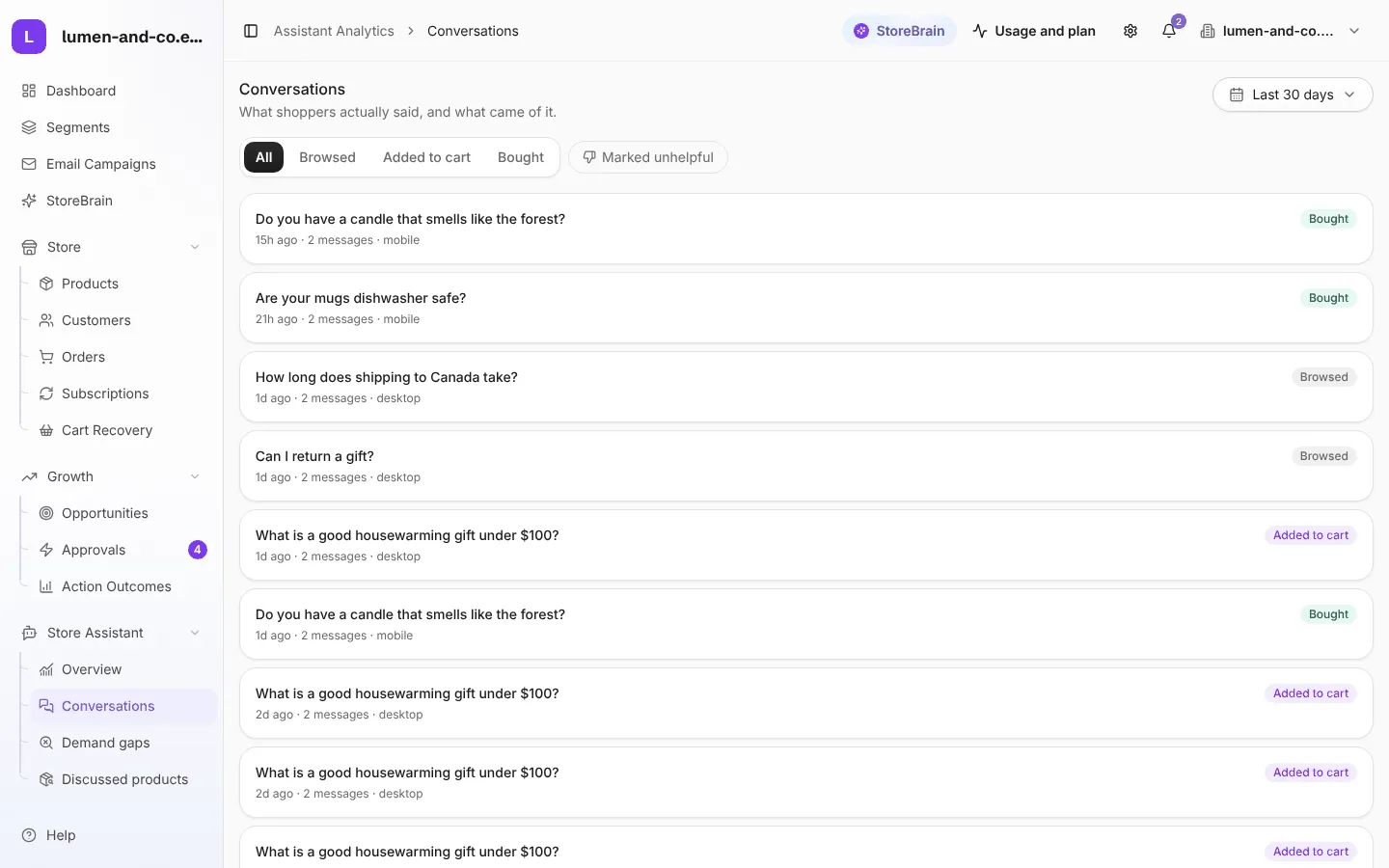
What shoppers actually said, and what came of it. Each conversation shows the first question, when it happened, the device, and the result: Browsed, Added to cart or Bought. Filter by result or show conversations marked unhelpful by shoppers. Open one to read the whole chat.
Demand gaps
Section titled “Demand gaps”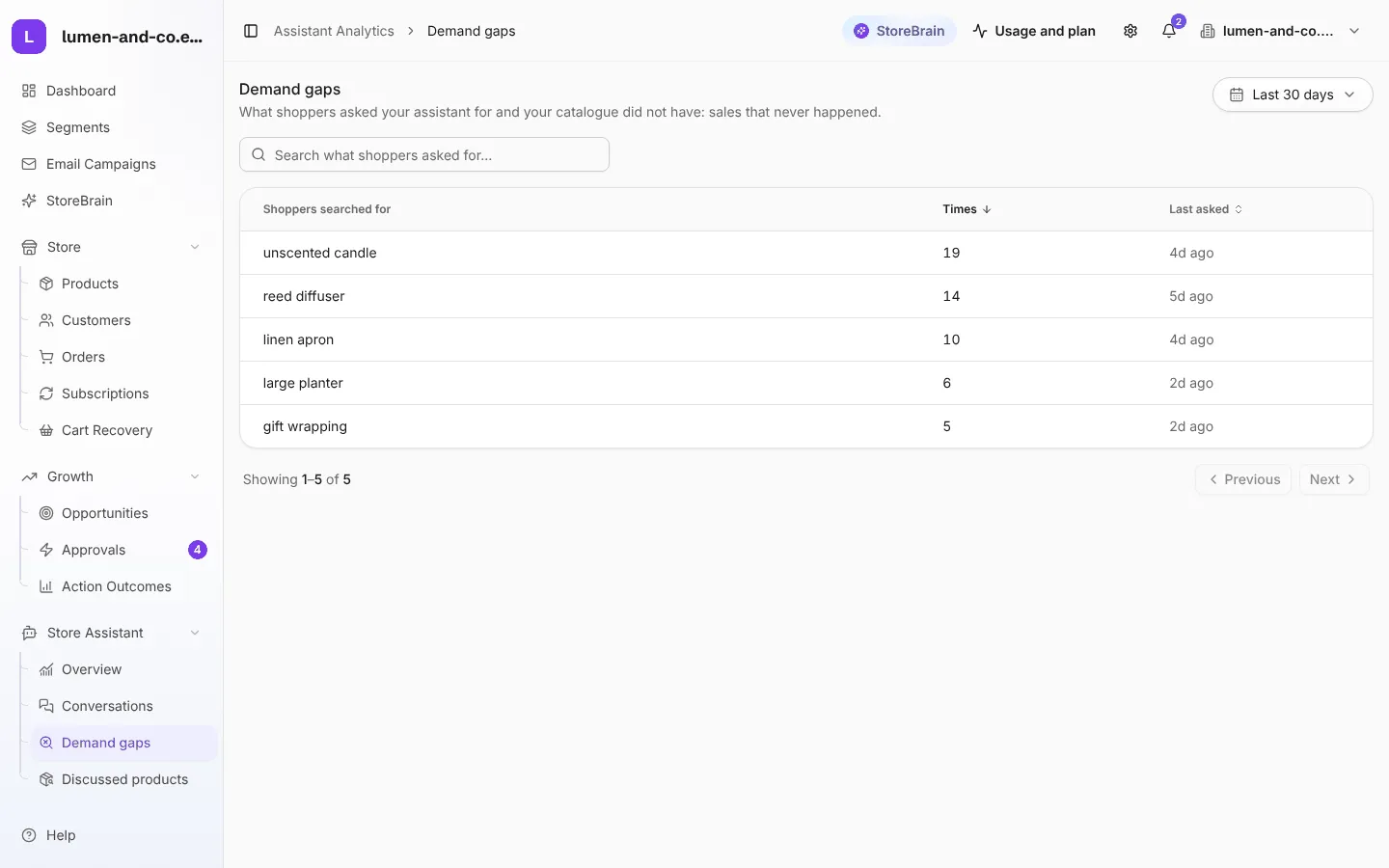
What shoppers asked your assistant for that your catalogue did not have: sales that never happened. Each search term shows how many times it was asked and when it was last asked. Use it to decide what to stock next.
Discussed products
Section titled “Discussed products”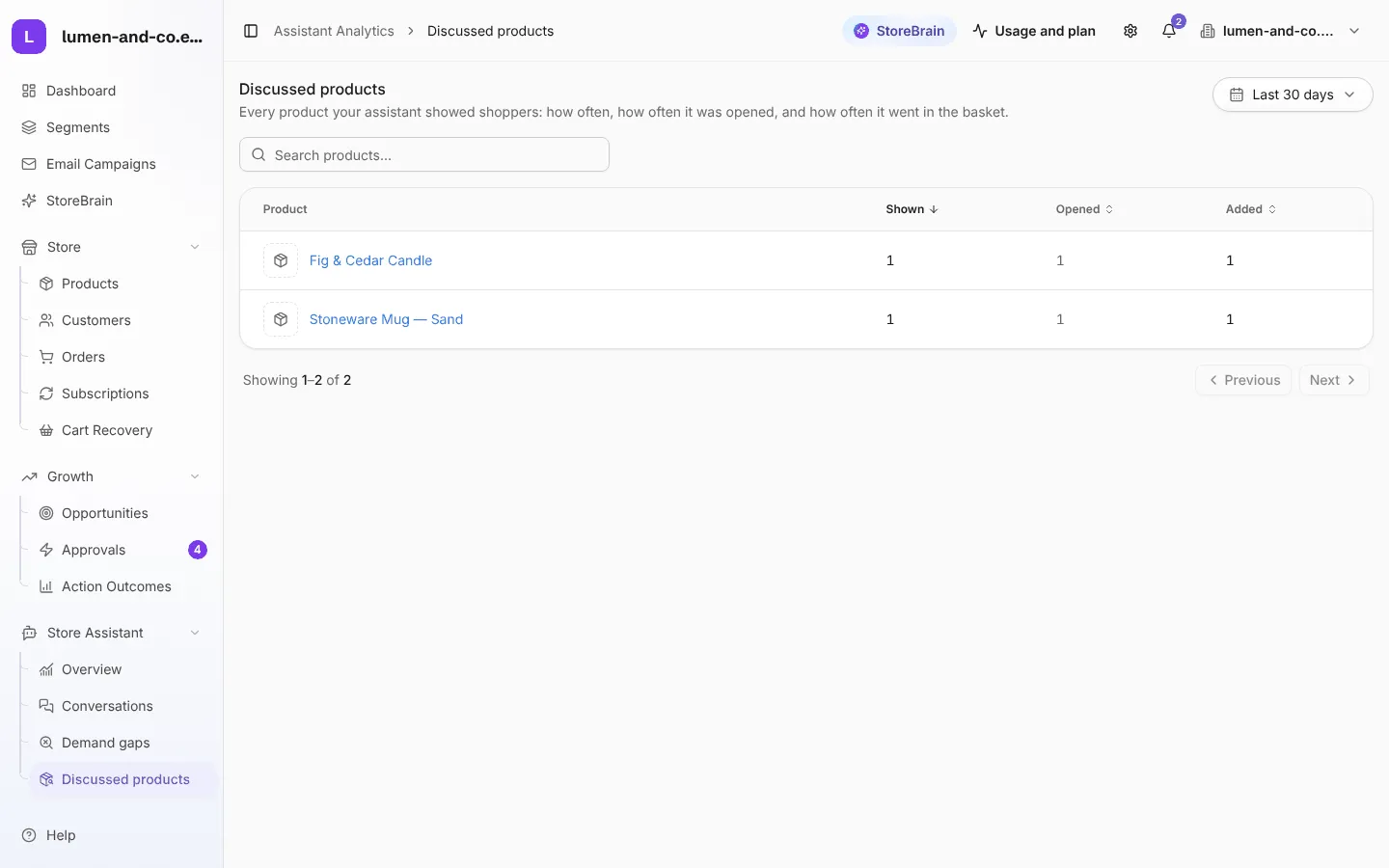
Every product the assistant showed shoppers: how often it was shown, how often it was opened, and how often it was added to the cart.