
Get help
Help (at the bottom of the sidebar) is where you ask us for a fix, a change, or something MerQio does not do yet, and follow where your request has got to.
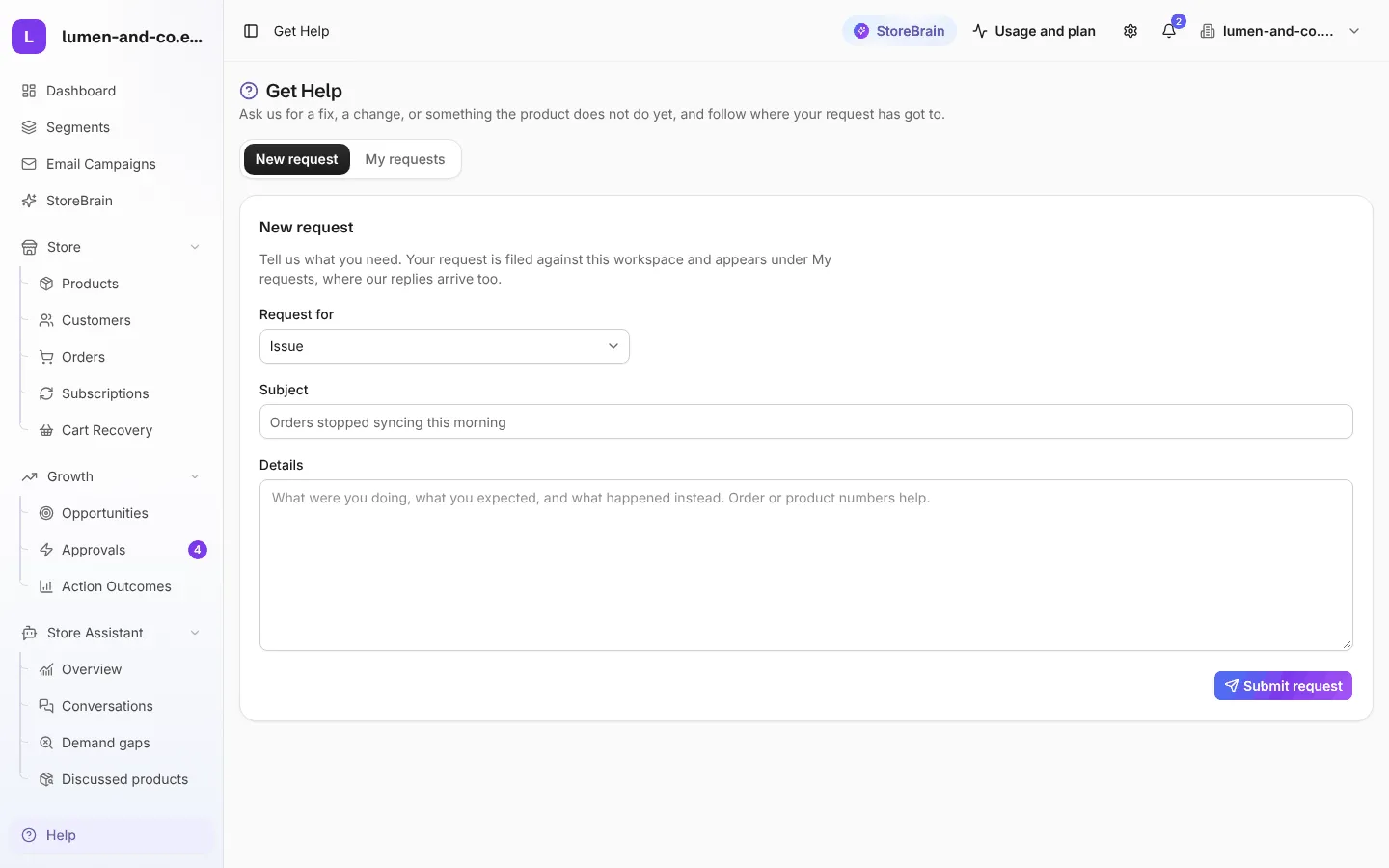
Send a request
Section titled “Send a request”- Open Help and stay on the New request tab.
- Under Request for, choose the type: Issue, Customization, Feature, Billing, Refund or Other.
- Write a short Subject, for example Orders stopped syncing this morning.
- In Details, say what you were doing, what you expected, and what happened instead. Add order or product numbers if they help.
- Press Submit request.
Follow your requests
Section titled “Follow your requests”Open My requests to see everything you have sent and its status. Our replies arrive there, and by email. When someone from support is answering, you see Support is typing… and new messages appear live, like a chat.
Before you write
Section titled “Before you write”The FAQ answers the most common questions about syncing, the plugin and AI suggestions.